0
0


Office backpacks with compartments: a pocket-by-pocket guide

An office backpack with compartments works when every item has one fixed home: laptop in the padded sleeve, tablet in its own sleeve, cables in a zip pocket, pens in the loops, access card in the outside pocket, bottle on the side. The Fieldwrks Teleport backpack and the Switch are built for exactly that, and a ten-minute Sunday reset keeps it working.
Key takeaways
- The fix for a messy work bag is not more pockets but a fixed pocket for each item, so you stop searching.
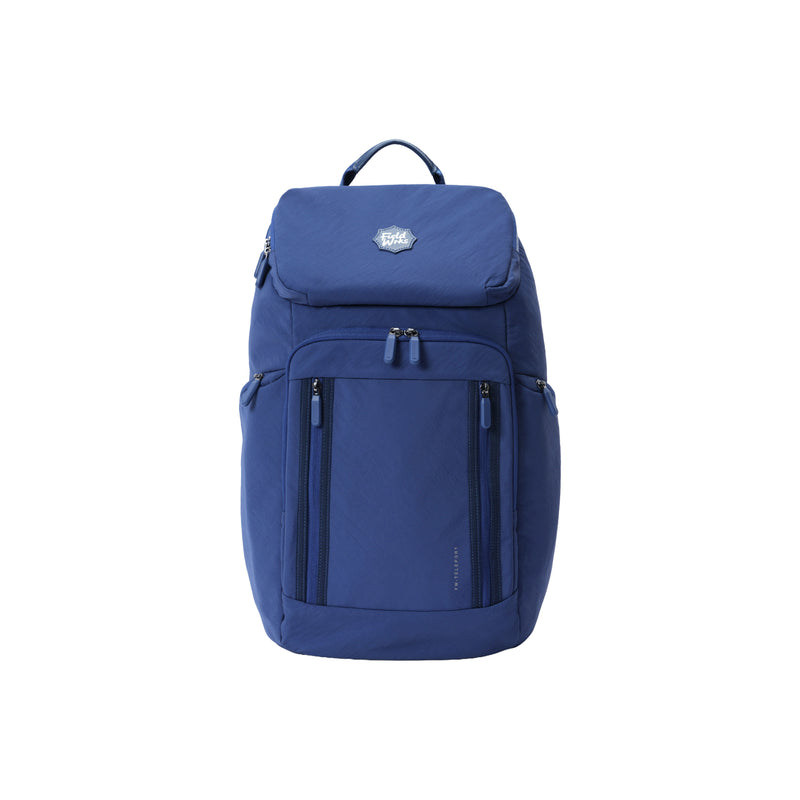
- The Fieldwrks Teleport (29 L, 795 g) has a top mesh zip pocket, two slip pockets, two pen loops, dual vertical front zip pockets and a hidden zippered side bottle pocket.
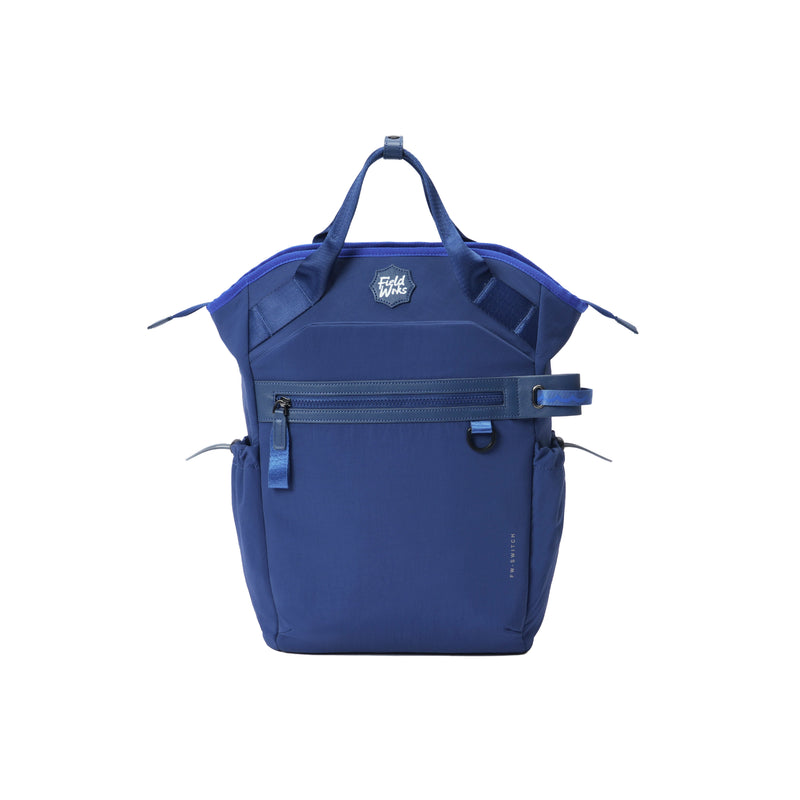
- The Fieldwrks Switch (26 L, 805 g) adds a separate iPad sleeve to its 15.6-inch laptop sleeve, plus a front zip slip-in pocket for the badge and phone.
- A ten-minute Sunday reset (empty, wipe, restock, repack in the same places) keeps any office organiser backpack organised for the week.
What should an office backpack with compartments actually have?
In 2026, search for an office bag with multiple compartments and you get two kinds of bag. One has a dozen pockets of the same size, so you spend the day guessing which one holds the charger. The other has a handful of pockets that are each the right size and place for one thing. The second kind is what you want, and it is what people are really asking for when they type office bag with many pockets.
The test is simple. Can you list, from memory, where each of your work items lives in the bag? If yes, the compartments are doing their job. If the answer is somewhere in the main section, the bag is a sack with zips.
Where does each work item go?
Here is the assignment we use for a standard office load, and how the Teleport and the Switch handle each item.
| Item | Rule | Teleport (29 L, 795 g) | Switch (26 L, 805 g) |
|---|---|---|---|
| Laptop | Padded sleeve against the back panel, never loose in the main compartment | Padded sleeve, up to 15.6-inch | Padded sleeve, up to 15.6-inch |
| Tablet | Its own sleeve or pocket so it does not scratch the laptop | Slip pocket, or beside the laptop sleeve | Separate iPad sleeve |
| Charger and cables | One zip pocket, always the same one | Top mesh zip pocket | Internal slip pocket |
| Notebook and pens | Pens in loops, notebook flat against the laptop sleeve | 2 pen loops, 2 slip pockets | Pen pocket, 2 internal slip pockets |
| ID, access card, phone | Outside pocket you can reach while wearing the bag | Dual vertical front zip pockets | Front zip slip-in pocket |
| Water bottle | Side pocket, never inside with the laptop | Hidden zippered side pocket | Cinch-cord side pockets |
| Lunch | Main compartment, upright, on the side away from the laptop | Main compartment | Main compartment |
 In this note
Fieldwrks Teleport795 g · 35 L · 15.6" laptop
₹3,699
In this note
Fieldwrks Teleport795 g · 35 L · 15.6" laptop
₹3,699How the Teleport handles a full work load
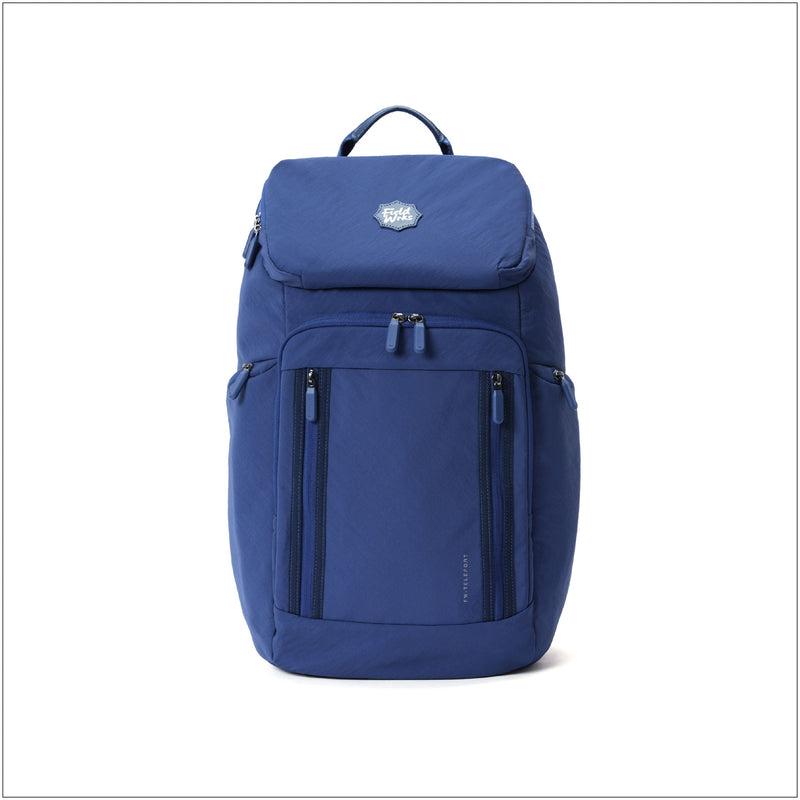
The Teleport is the more pocketed of the two, which makes it the office organiser backpack for anyone whose desk contents travel with them. Start from the outside: dual vertical front zip pockets, one for the access card and phone, one for earphones and the metro card. The water bottle goes in a hidden zippered side pocket, so it does not swing or fall out when you take the bag off on a bus.
Inside the 29 L main compartment, the padded sleeve takes a laptop up to 15.6 inches. Above it, a top mesh zip pocket is the cable pocket: charger, USB-C lead, a spare pair of earphones. Two slip pockets hold a notebook and a tablet, two pen loops hold pens. The bright orange interior means you can see all of this at a glance rather than feeling for it. A luggage sleeve on the back slides over a suitcase handle for the days work turns into travel. At 795 g, all of that organisation costs very little on your back. Colours: VCR Blue, Robo Black.
How many pockets is too many?
More than you can name. A lightweight office organiser backpack should have five to eight distinct homes: laptop, tablet, cables, pens, card and phone, bottle, and the main compartment. Beyond that, each extra pocket is fabric, zips and weight, and it becomes a place to lose things rather than find them.
That is why Fieldwrks packs are pocketed but not perforated. The exterior is Aerology™ nylon, feather-light and water-resistant, and every pocket not added is weight kept off the total. If you want the longer argument, read our guide to multi-compartment backpacks and organisation without the bulk.
The Sunday reset: ten minutes that save the week
Compartments only work if what is in them is correct. Once a week, ideally Sunday evening, do this.
- Empty the bag completely onto a table. Everything, including the receipts at the bottom.
- Wipe the inside with a dry cloth and the outside with a damp one. The orange lining shows crumbs, which is the point.
- Throw away or file the paper. Put the loose coins and the third pen somewhere else.
- Restock the fixed kit: charger, cable, pen, a tissue pack, a small first-aid strip. Check the charger is actually the laptop's charger.
- Repack each item into its assigned pocket, the same pocket as last week. Consistency is the whole trick.
- Leave the laptop and lunch out. They go in on Monday morning.
Ten minutes. By the third week you will notice you no longer look for anything. The bag has an index in your head.
 In this note
Fieldwrks Switch805 g · 26 L · 15.6" laptop · Convertible carry · Work trips · Weekends
₹3,299
In this note
Fieldwrks Switch805 g · 26 L · 15.6" laptop · Convertible carry · Work trips · Weekends
₹3,299Why the Switch is the organised pick for meeting days
The Switch has fewer pockets than the Teleport and a better answer for one specific case: you carry a laptop and a tablet, and you walk into client meetings. The padded sleeve takes a laptop up to 15.6 inches, and a separate iPad sleeve keeps the tablet from rubbing against the laptop lid, which is the scratch most people get. Two internal slip pockets and a pen pocket cover the notebook and pens. The front zip slip-in pocket is the card and phone pocket.
Then the trick: the ergonomic shoulder straps come off and tuck into a pocket, and snap-closure top handles turn it into a hand tote. You walk into the room with an office laptop bag with organiser inside and a tote outside. It carries 26 L, weighs 805 g, and comes in VCR Blue, Robo Black and Dad Brown. Cinch-cord side pockets hold a bottle. It flat-folds when empty.
For a wider look at what makes a bag office-appropriate, read office backpacks that do not look like gym bags, and for the fixed-kit idea taken further, the everyday backpack guide.
Frequently asked questions
Is an office bag with many pockets heavier?
It can be, because every pocket adds fabric and a zip. The fix is fewer, better-placed pockets on a light fabric. The Teleport has a home for every item on the list above and still weighs 795 g; the Switch has a home for each plus a tote mode and weighs 805 g.
What is the best office laptop bag with organiser for cables?
One with a single zip pocket you can dedicate to cables and nothing else. On the Teleport that is the top mesh zip pocket: you can see the cables through the mesh, so you know the charger is there before you leave. Keep it to the charger, one USB-C lead and earphones.
Do I need a separate pouch inside an organiser backpack?
Usually not, if the pockets are assigned. A pouch makes sense for one category that moves between bags, such as a toiletries kit for travel. For daily work, a pouch inside a pocketed bag is a second layer of searching. Use the pockets as the pouches.
Should the laptop go in the main compartment or its own sleeve?
Always the sleeve. Both the Teleport and the Switch have a padded sleeve against the back panel, so the laptop rides close to your spine, does not shift, and is protected from the lunch box and bottle. Keep the main compartment for the soft, bulky things.
If you carry a lot of small things and want a pocket for each, buy the Teleport. If you carry a laptop and a tablet and want to walk into meetings with a tote, buy the Switch. Either way, do the Sunday reset.